 GhostCheck
Scan the profile before you reply.
GhostCheck checks the photo and reads the bio text for scam warning signs — right on your iPhone. No account. No upload.
 Free · 2 checks every week
What it checks
Three checks. One risk score.
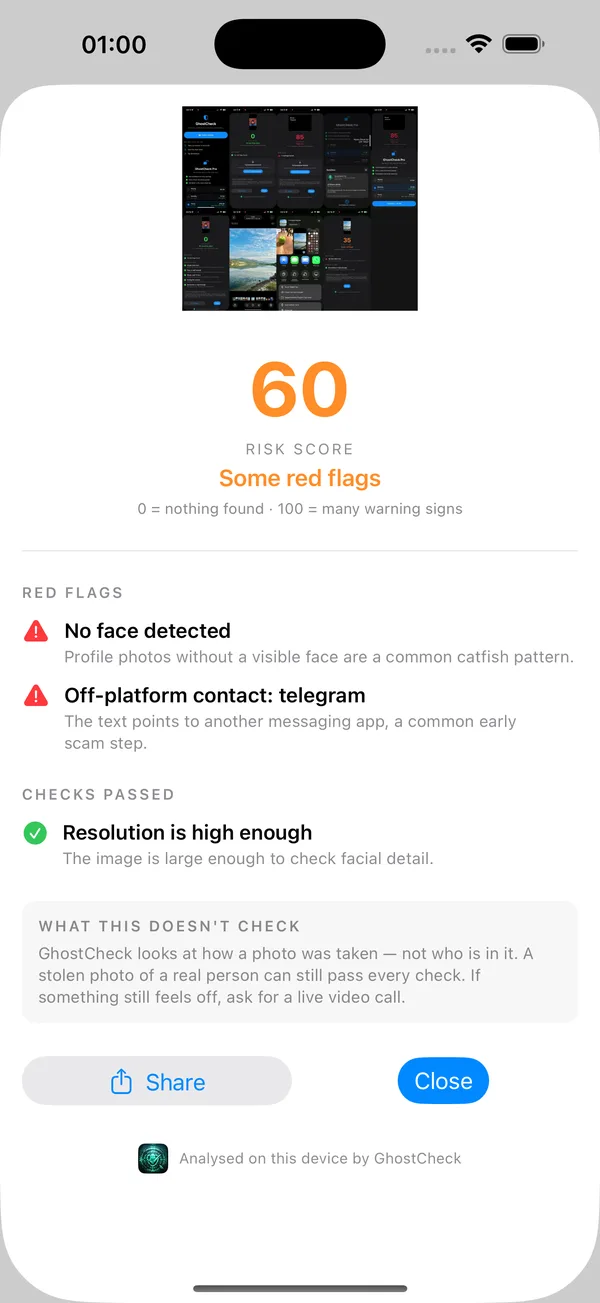
You get a score from 0 to 100 and the warning signs behind it — so you can see why a profile looks risky.
Face
Whether a face is visible, how clearly it was captured, and how much of the frame it fills.
Image
Whether the picture is large enough to judge, or a small re-shared copy.
Text
The profile's own words, for the patterns behind romance and crypto scams: being pushed to Telegram or WhatsApp, talk of investing or payment apps, paid-content links.
How it works
Three taps from any app.
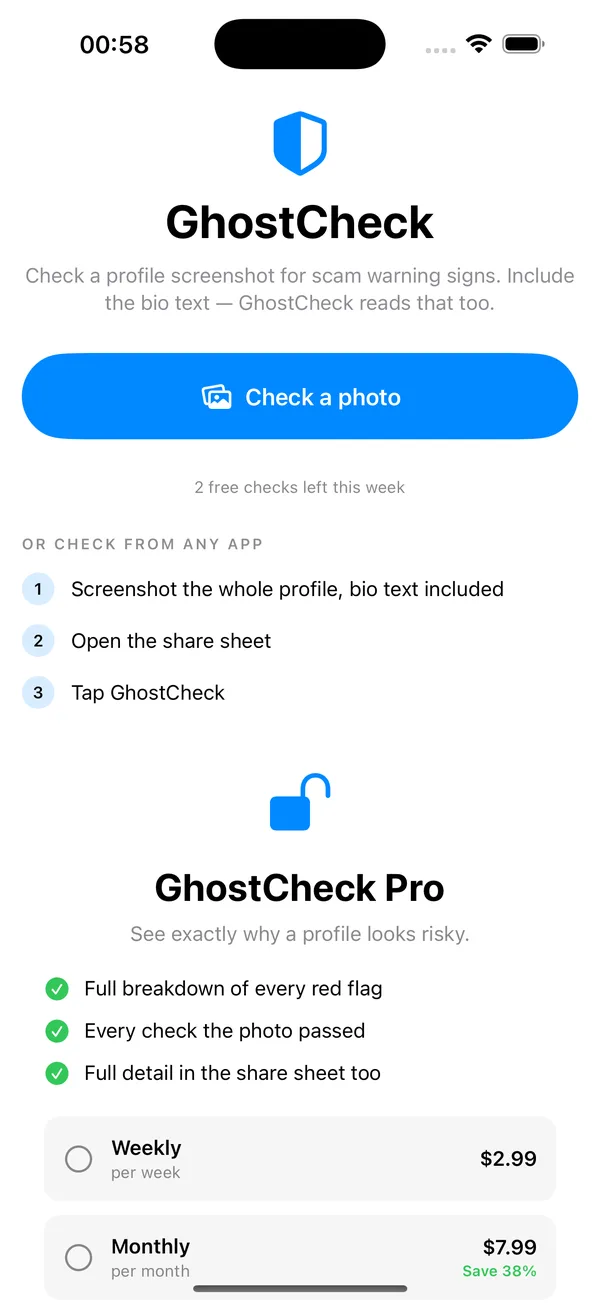
Include the bio text in your screenshot — the text scan is the strongest check.
- Screenshot the profileCapture the whole profile, bio text included.
- Open the share sheetFrom the screenshot or your Photos.
- Tap GhostCheckOr pick a screenshot from inside the app.
Private by design
Everything stays on your phone.
GhostCheck uses Apple's on-device Vision framework. Your photos are never uploaded, never stored on a server, and never seen by anyone.
- No account, no sign-up
- No tracking, no analytics
- Works offline
Free and Pro
You get 2 free checks every week. GhostCheck Pro removes the limit — unlimited checks, weekly, monthly or yearly. Manage or cancel anytime in Settings.
What it doesn't do
GhostCheck looks at how a photo was taken — not who is in it. A stolen photo of a real person can still pass every check. It is not a lie detector and cannot prove who anyone is. If something still feels off, ask for a live video call.
Check before you trust.
Free on the App Store for iPhone · iOS 17 or later